
Fingerprint & face
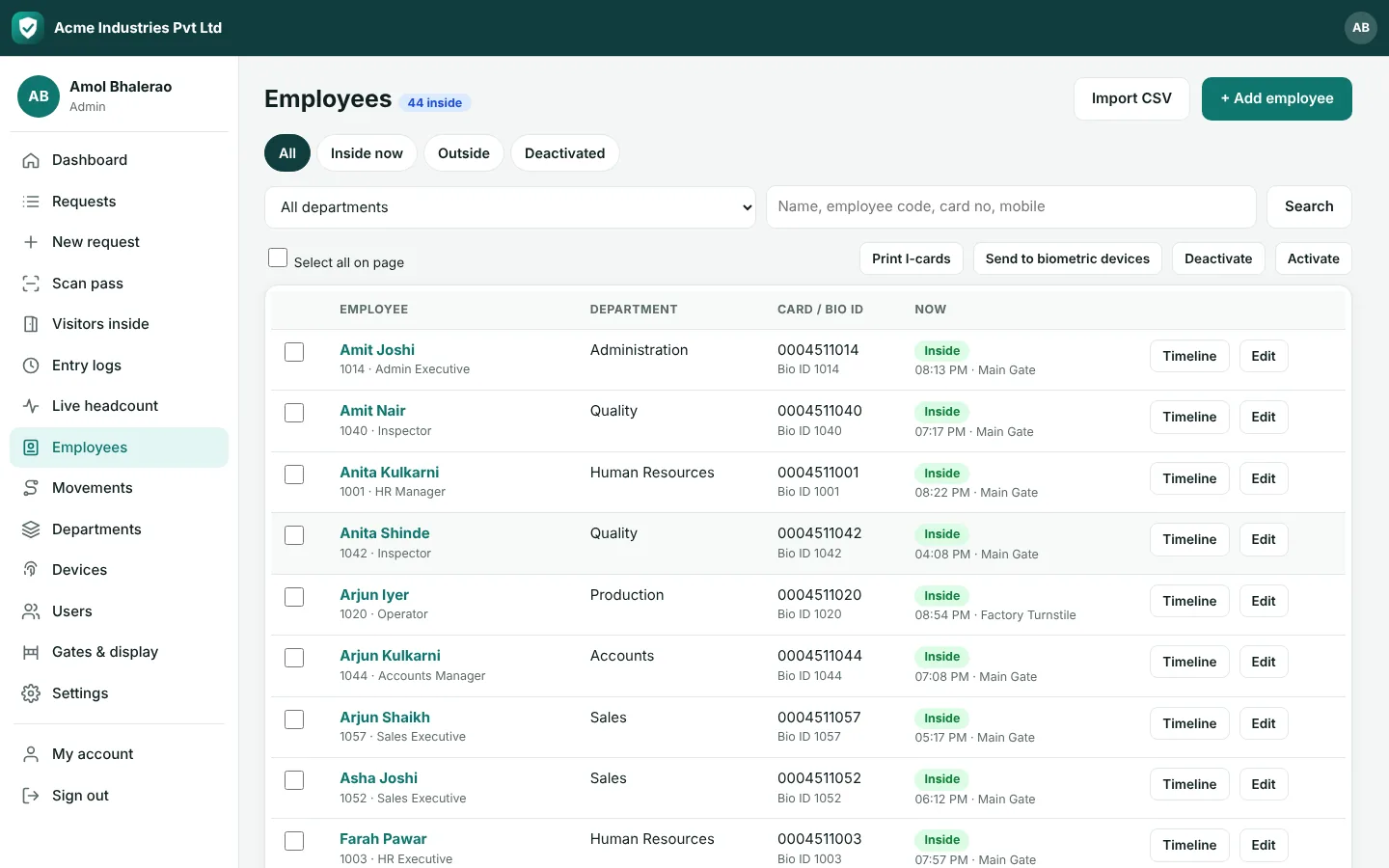
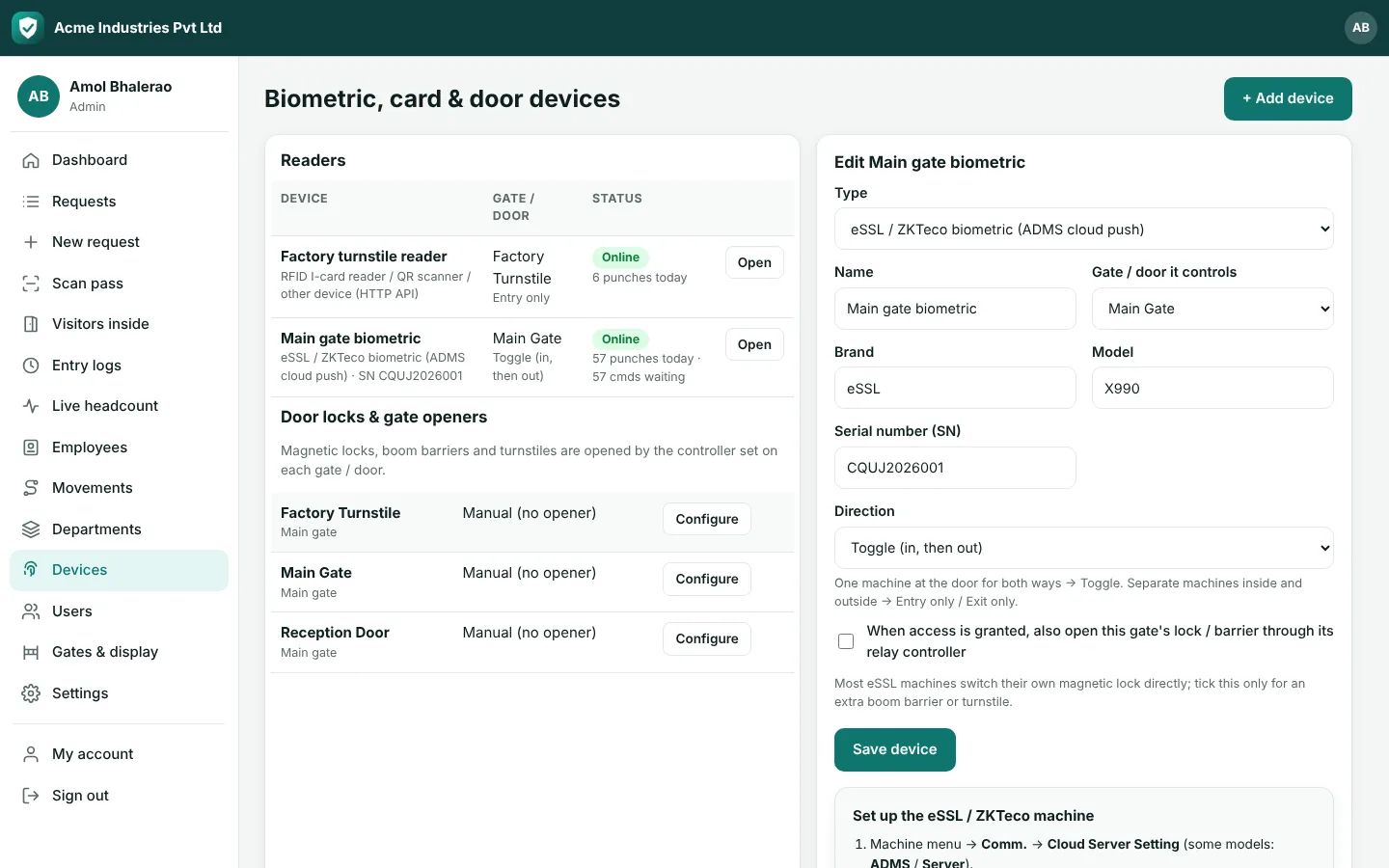
Connect your eSSL or ZKTeco biometric machine. Punches arrive in seconds; ones made while the internet was down come in later.
IndusTrack: Today's Work, Tomorrow's Heritage is the professional platform industries use to manage company access and give admins full control of their resources — gates, doors, turnstiles, biometric devices, cameras, departments and contractors. Employees and contract workers enter by face, fingerprint or RFID card, visitors with an approved QR pass, and every movement feeds a live headcount, attendance, overtime and payroll.
See the interactive presentationFor  SHIMIZU CORPORATION INDIA PVT. LTD. · Developed by Hisoft IT Solutions Pvt. Ltd.
Attendance machines record punches. IndusTrack turns them into the truth: who is inside, who worked how long, who should be paid — and who should not have entered at all.
Start with the problem you have today — the rest is already there when you need it.
Your own staff and contract workers walk in with a face, finger or card. Visitors come with an approved QR pass. Both are counted, tracked and reported in the same place.
Add the person (or import from Excel), enrol face, finger and card once at the Enrollment Center — copied to every machine.
At the gate machine, turnstile or door: the punch arrives in a second, the barrier opens only for valid, unblocked people.
The gate TV shows the photo and name and says it aloud; the live headcount moves; repeat punches are refused.
Who is inside, in which department and through which contractor — today IN / OUT and every movement.
Attendance, overtime, payroll, payslips and contractor bills come straight from the punches.
A member adds the visitor's name, mobile, date, vehicle and ID photo from the app or website.
The admin reviews the ID and approves or rejects in one tap. The member is told either way.
The visitor gets a QR entry pass by email or WhatsApp, and can add their own photo and documents.
At the gate the guard scans the QR. Green — mark IN. Red — the reason is on screen, the gate stays shut.
On the way out, one more scan marks OUT. In and out times are saved for every visit.
No pass needed for your own staff. Every way in is recorded the same way — with the time, the gate or door, and how they got in.
Connect your eSSL or ZKTeco biometric machine. Punches arrive in seconds; ones made while the internet was down come in later.
Tap the I-card on a reader at a door or turnstile. IndusTrack decides and the magnetic lock or barrier opens.
Print I-cards with a photo and QR code. The guard scans it with the app — no reader needed.
Forgot the card? The guard finds the employee and marks IN or OUT; it is logged with the guard's name.
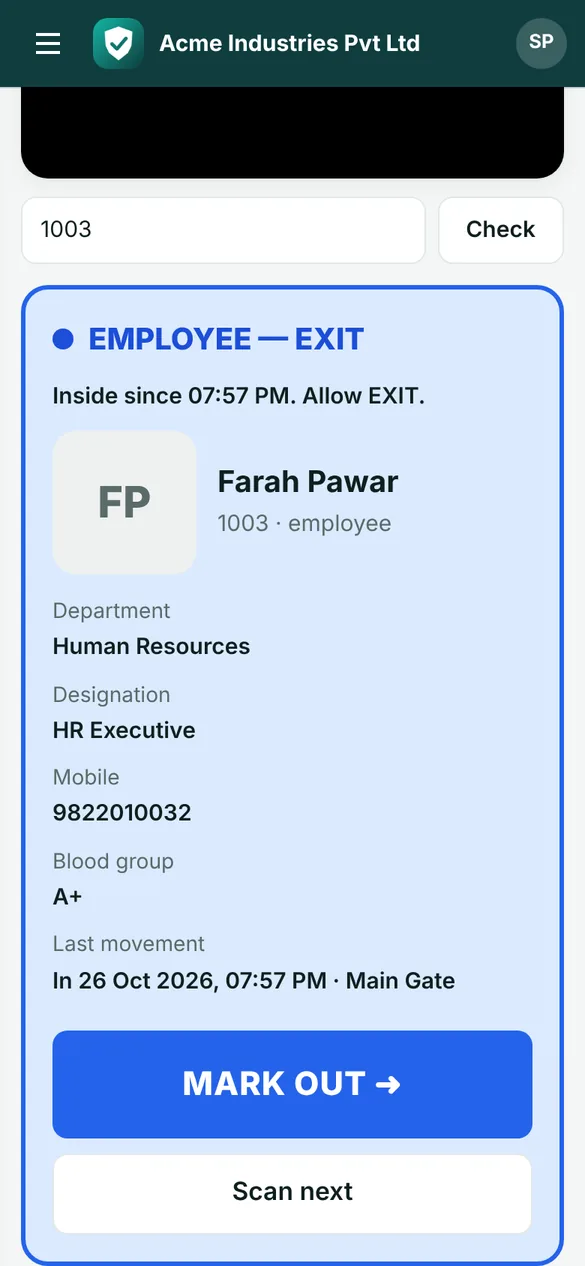
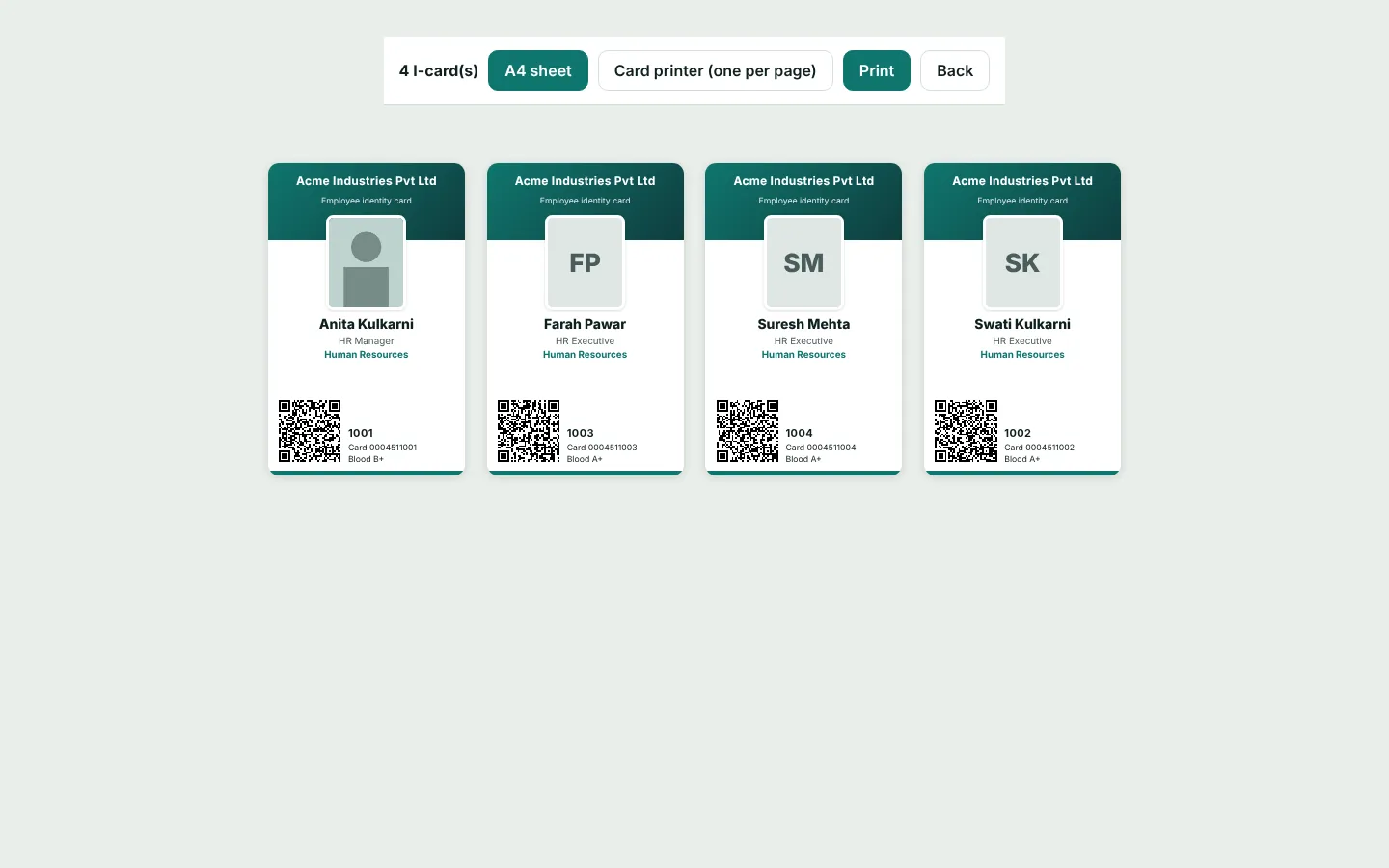
Also controls magnetic door locks, turnstiles and boom barriers. Limit each employee to the doors they need — exit always works.
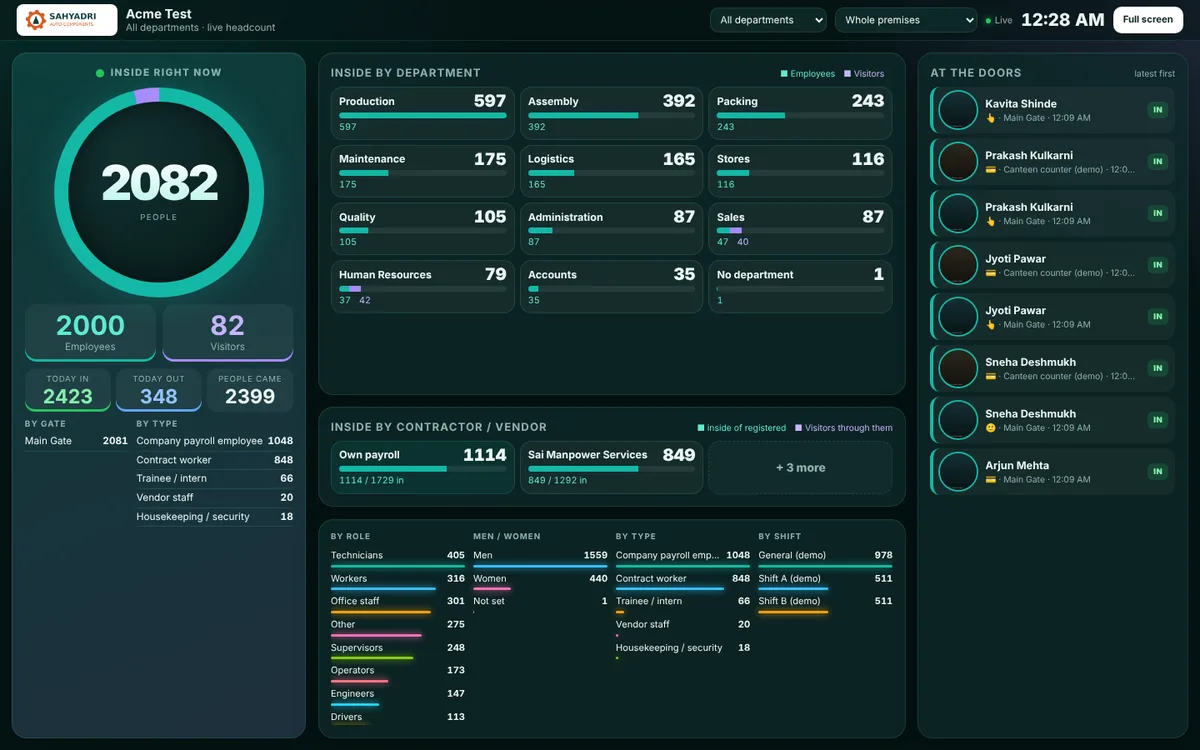
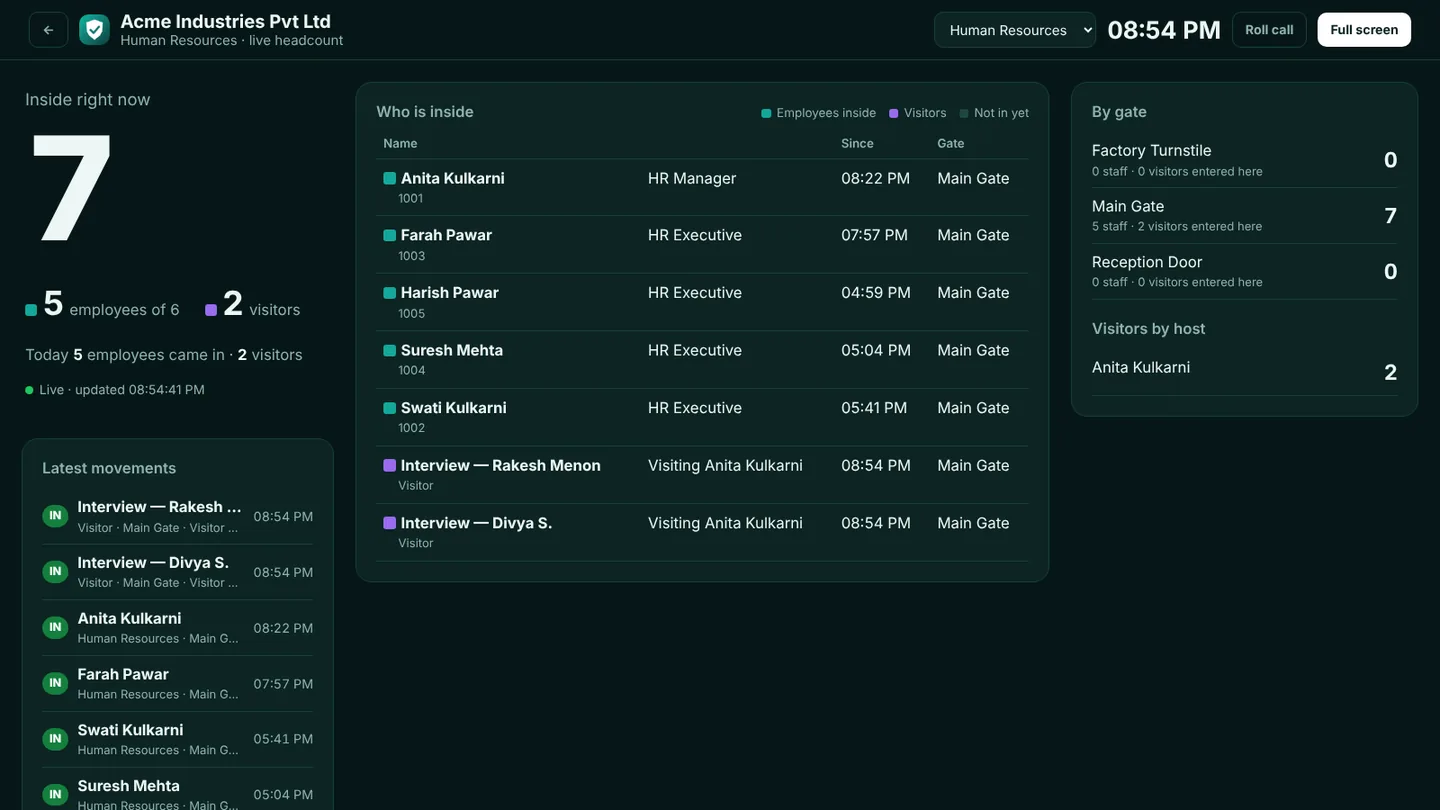
Out of 3,000 staff, how many are in — by department, by contractor and by shift? Plus visitors, counted under the person they came to meet, and today's total IN and OUT. The live screen updates within a second of every punch.
Put it on a TV for management, give each department head their own screen, and print a roll call for fire drills in one click.
Every punch already says who came in, when and through which door. IndusTrack turns that into hours, days and pay — for your own staff and for every contractor.
Finger, face, card or QR at the main gate gives the company IN / OUT time; department doors give time per department.
Sessions in and out are paired automatically: hours inside, late arrivals, early exits and overtime per shift.
Present, half day, absent, weekly off, holiday and leave — a monthly muster roll per department or contractor.
Monthly, daily or hourly rates, overtime, PF / ESI / PT. Payroll by contractor, payslips and Excel in one click.
One-page dashboard per person: on-time days, overtime, time per department, trends — printable on A4.
The Enrollment Center runs on a PC in the security room. It finds machines and cameras on the network, watches every device live, and keeps working when the internet is down.
Enrol a finger once and send it to every machine of that brand. Name, card number and role are written to the machine too.
Magnetic doors, flap barriers, turnstiles, boom and parking barriers open only for valid employees and visitors — switched only from the office network.
A photo with every entry and exit, helmet / badge / safety-shoe checks for workers, and vehicle number, colour and type linked to the entry.
Door contacts, metal detectors, smoke, panic buttons and sirens per department. A disconnected device raises an alarm in seconds.
The Android app for guards, members and admins. Swipe to look through the screens.
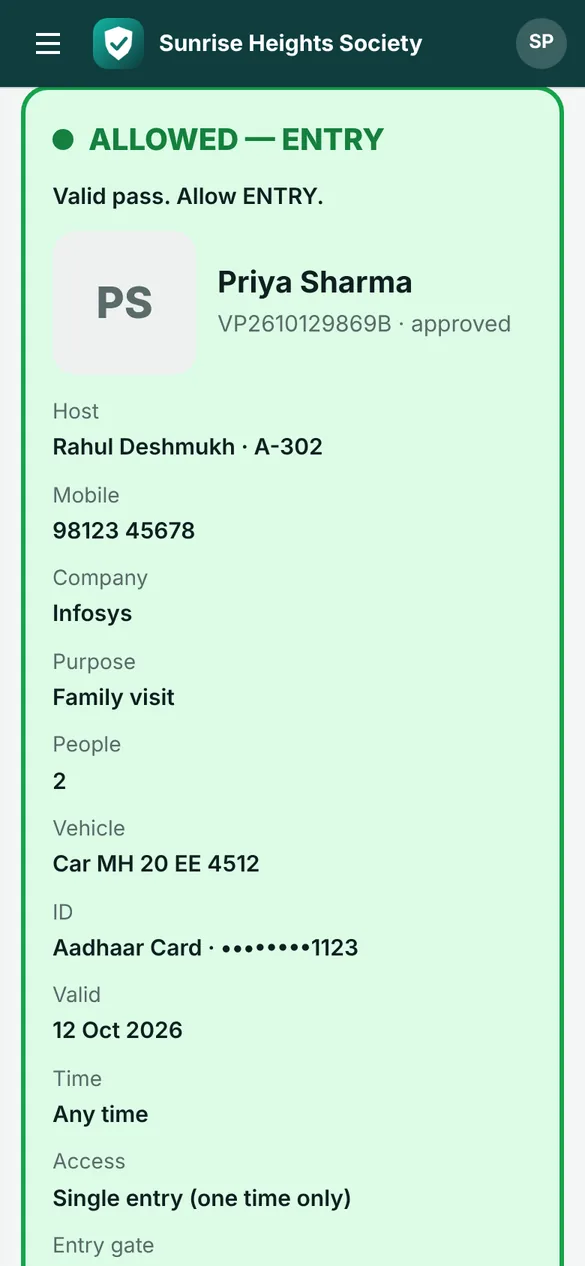
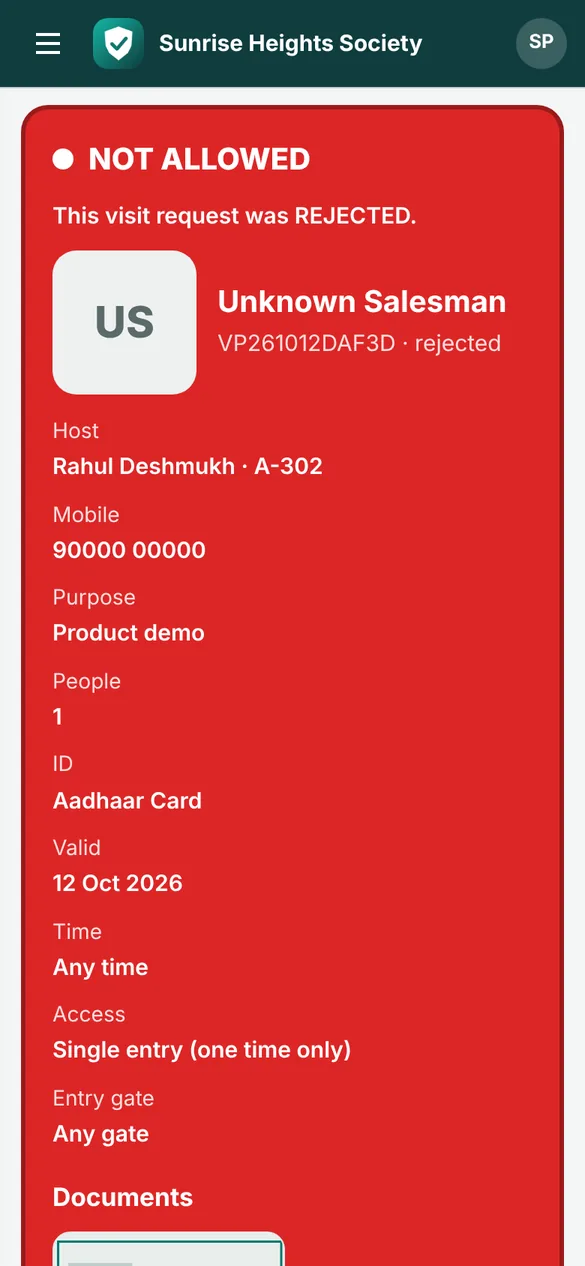
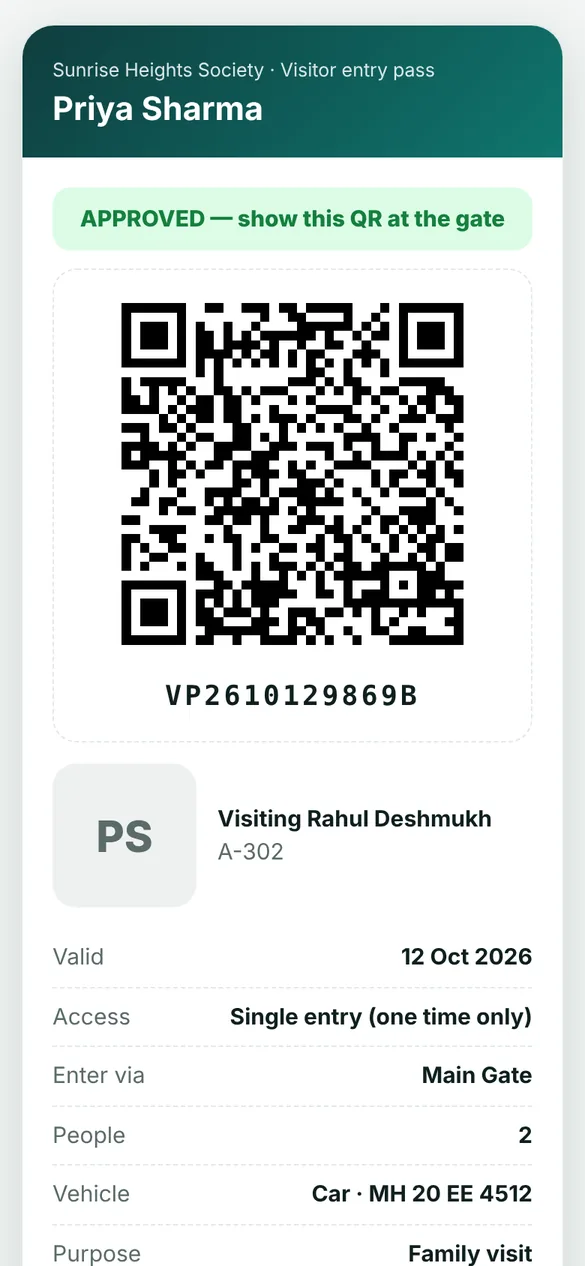
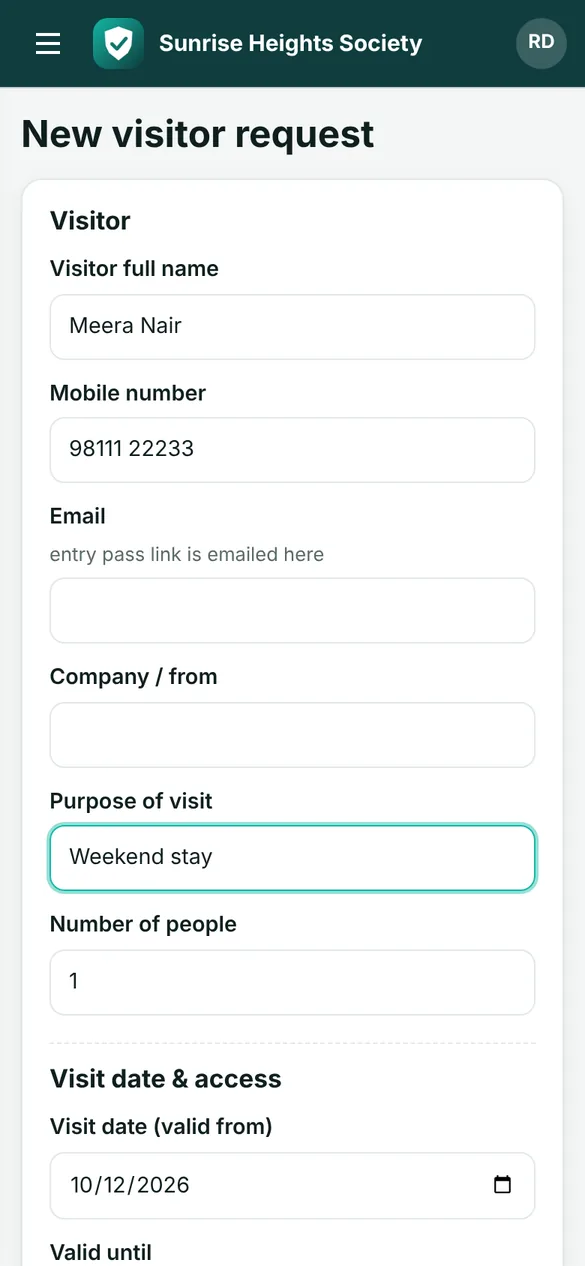
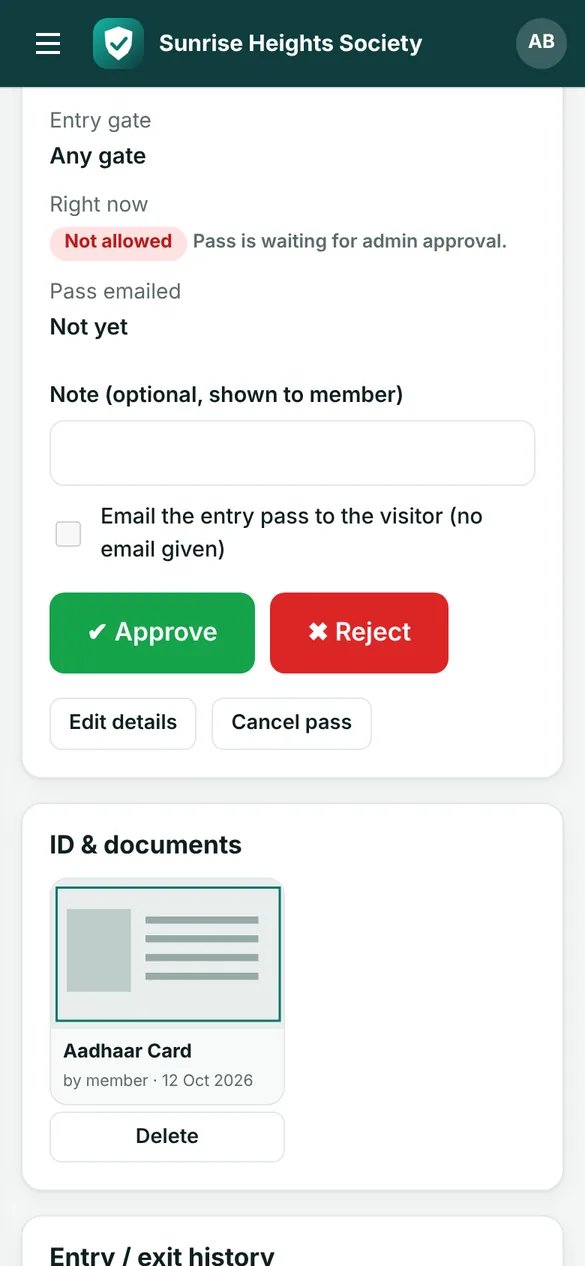
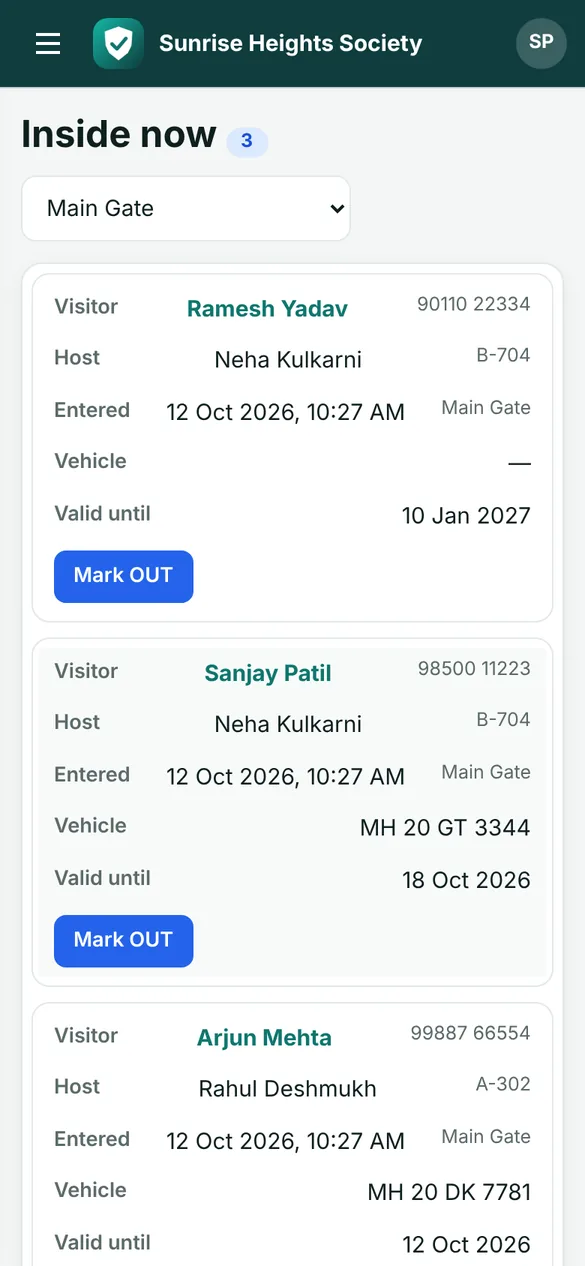
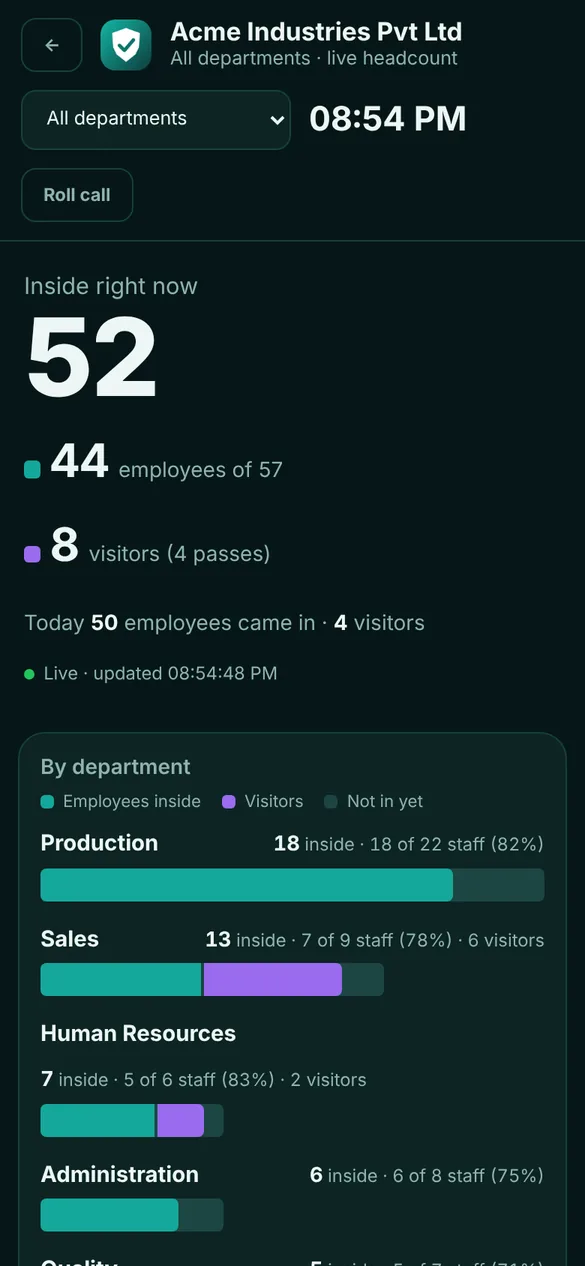
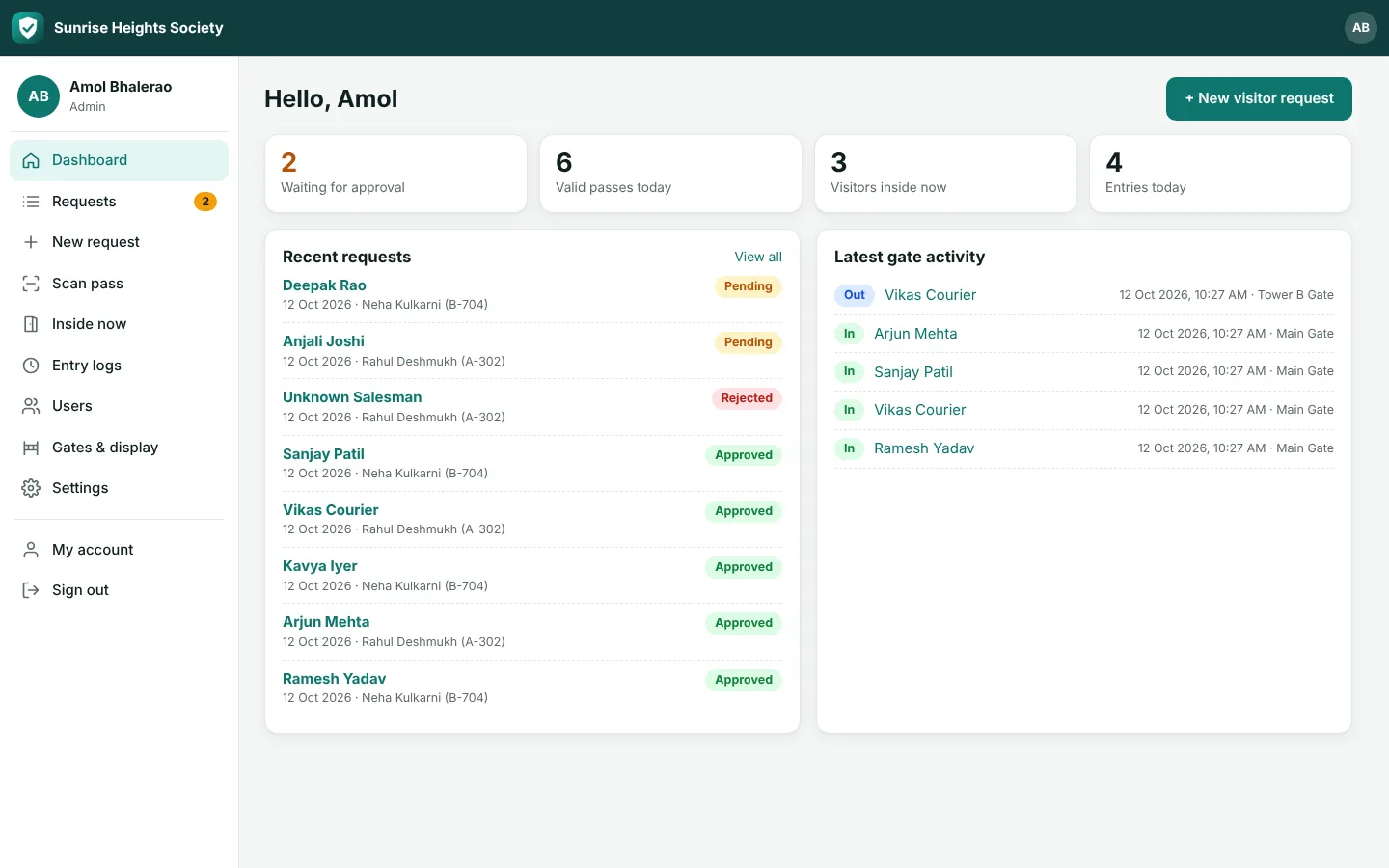
The same system in any browser — for the office desk, the society office or the management.
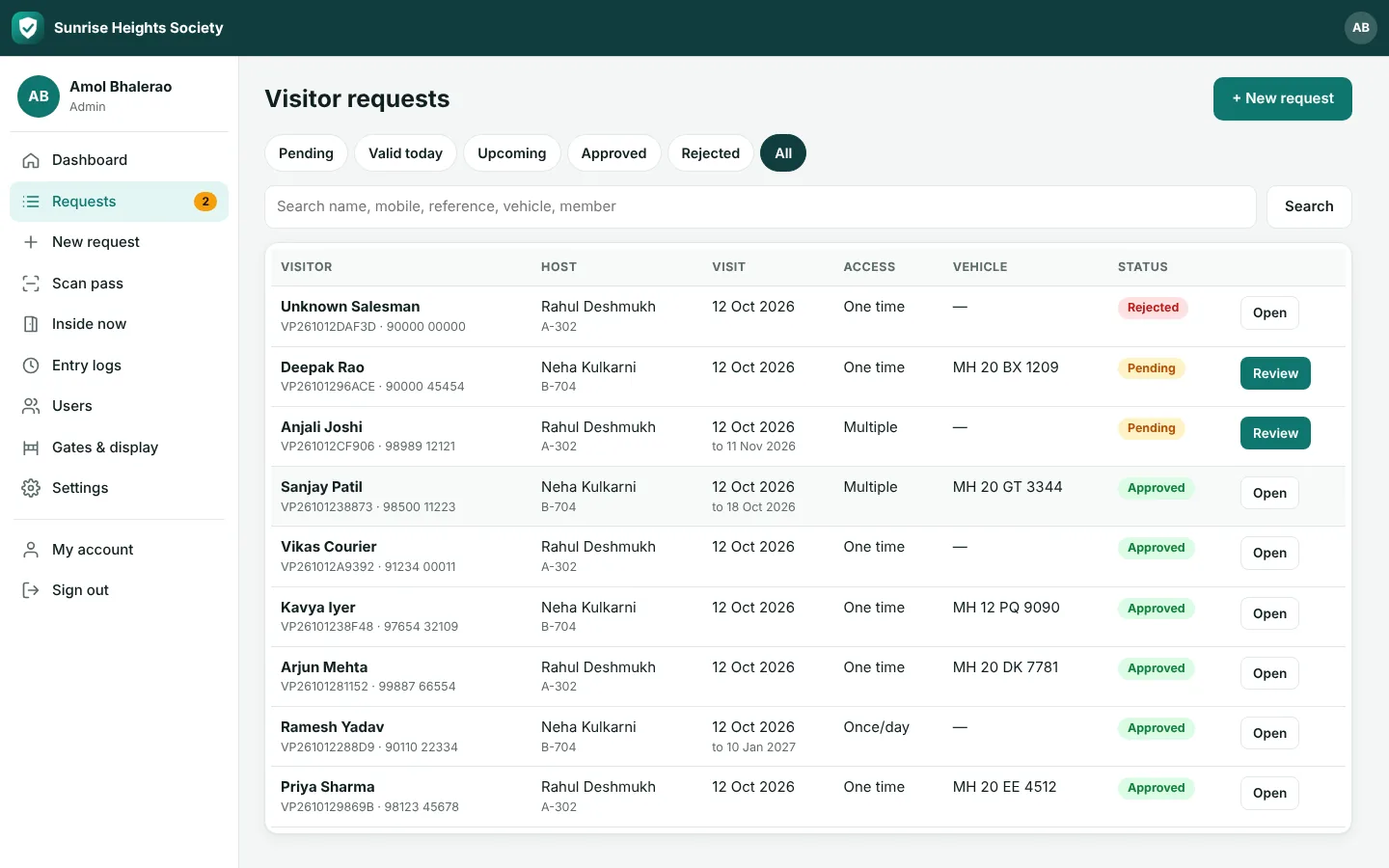
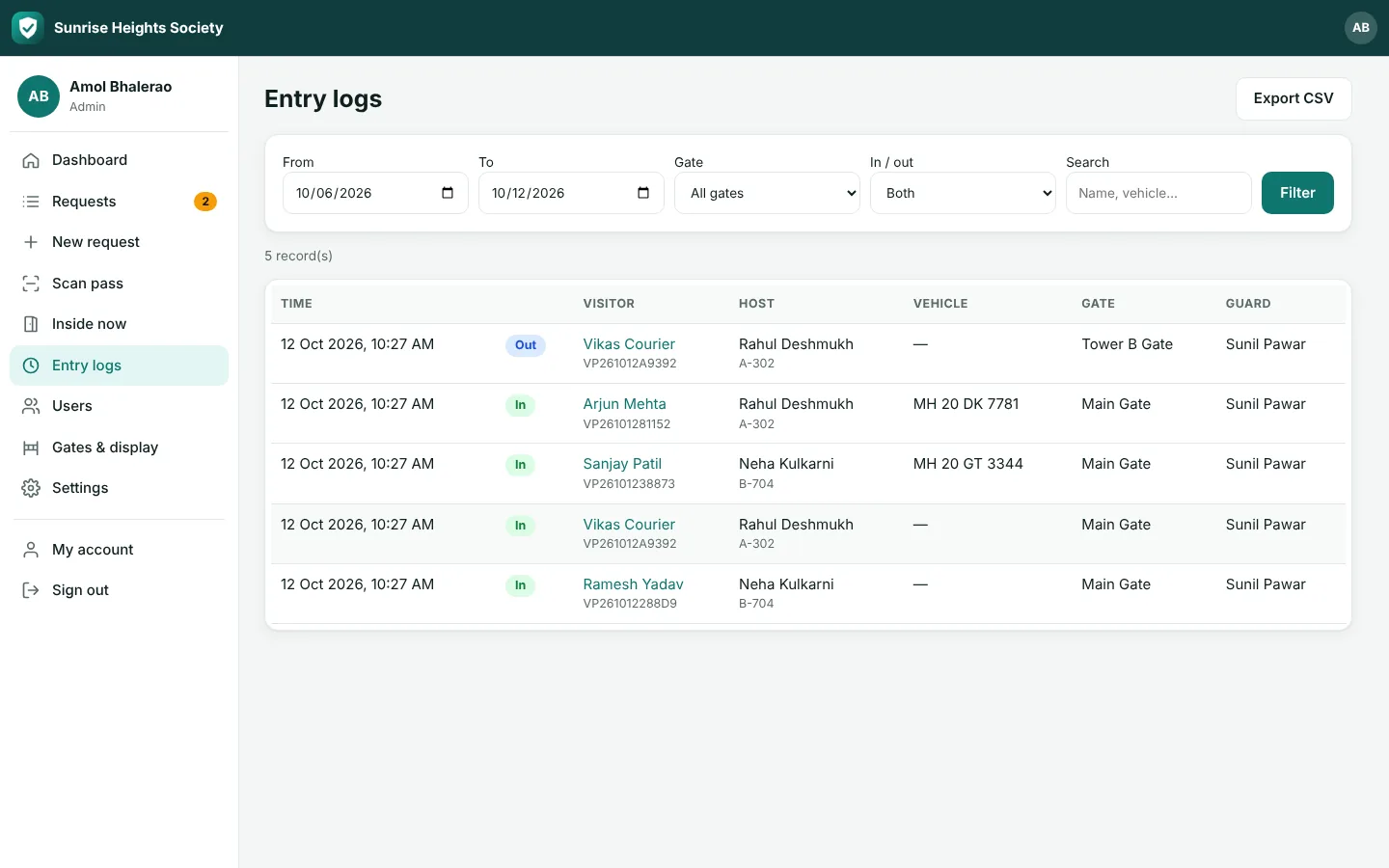
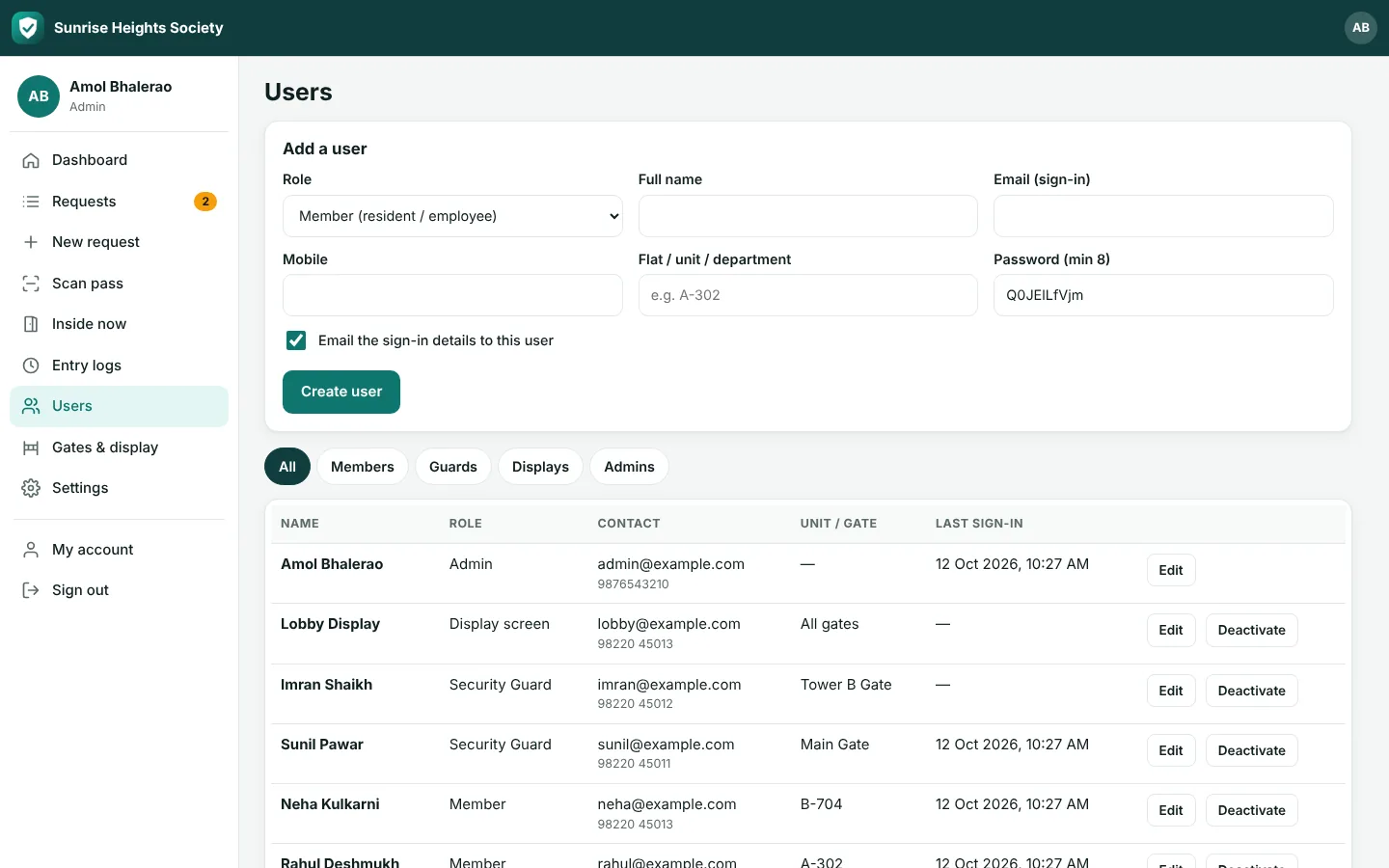
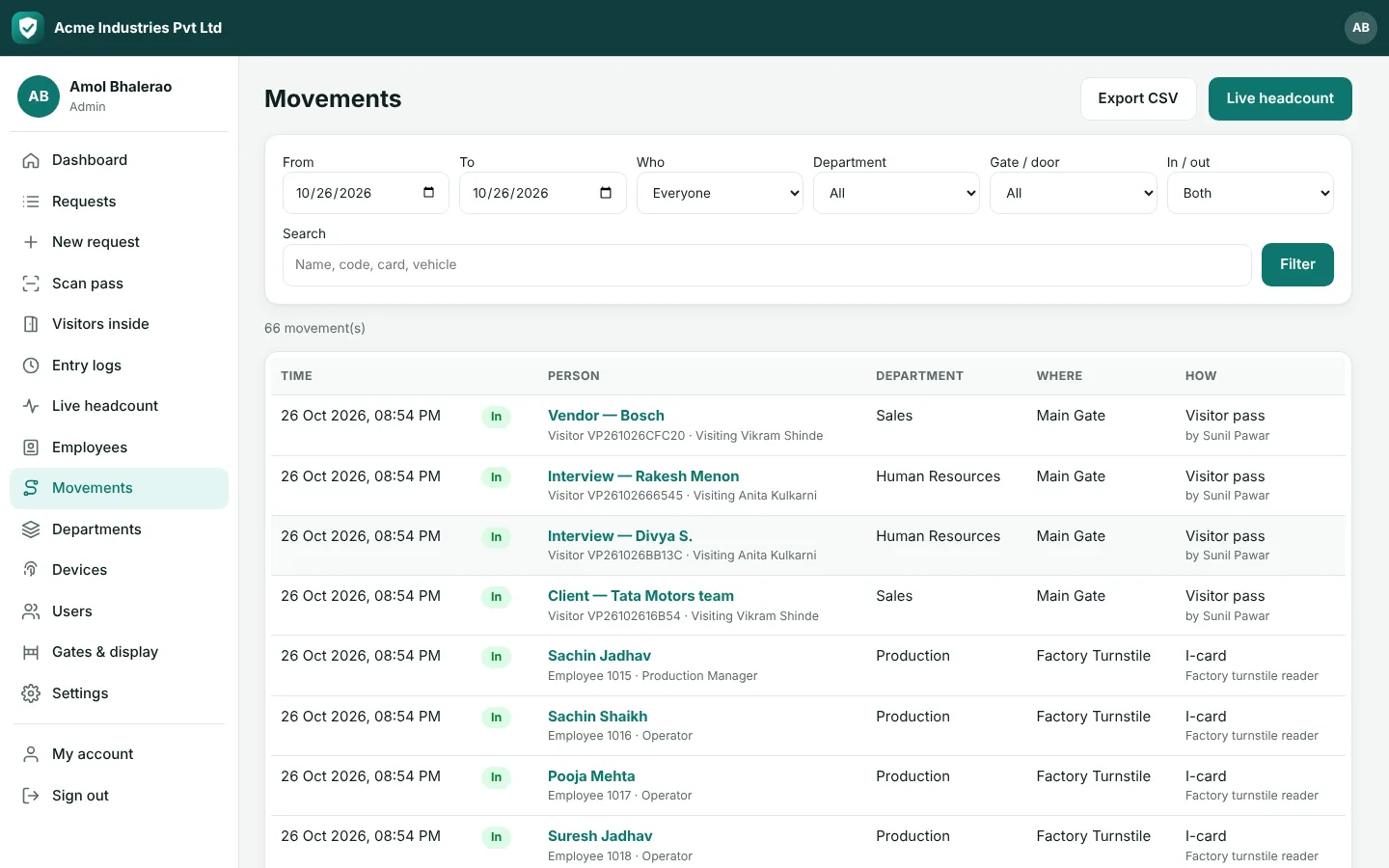
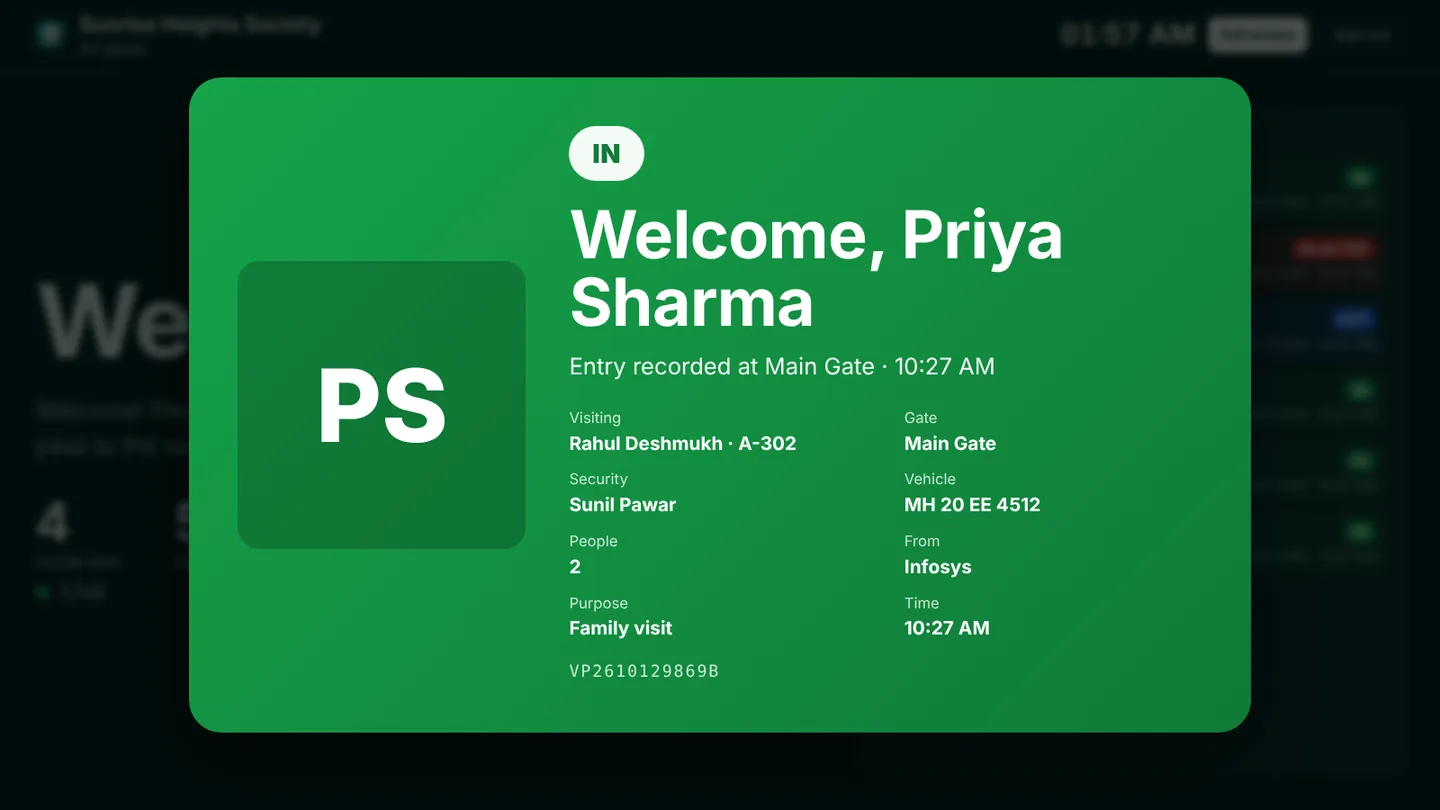
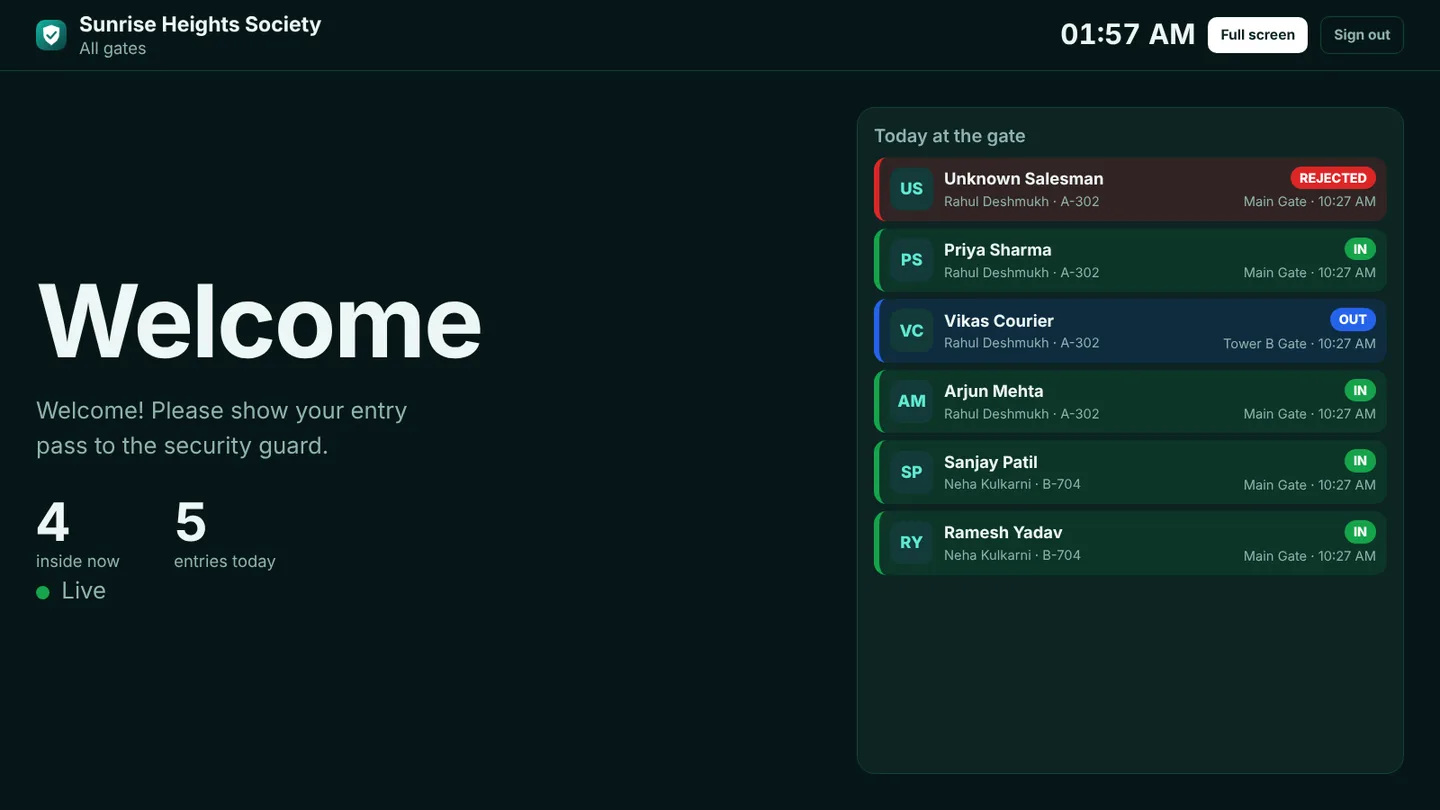
Put any TV or tablet at the gate and sign in with a display account. The moment a pass is scanned, the visitor's name, host, gate and guard pop up. The card turns green when the guard marks IN, blue on the way out, and red with the reason when entry is refused.
Everyone in the lobby sees the same thing the guard sees — no arguments at the gate.
Anywhere people come and go and someone is responsible for who gets in.
Guests, cooks, maids and delivery staff on daily passes. Residents approve their own visitors; the committee sees everything.
Pre-registered interview candidates and client visits. Reception stops copying ID numbers into a book.
Contractors and trucks with vehicle numbers, time windows and entry only through the loading gate.
Parents and vendors are checked against an approved list. Every pickup and visit is logged with time.
Visiting hours as time windows, attendants on multi-day passes, and a clear list of who is inside.
Guest lists turned into QR passes in minutes; one scan at the door and the count is live.
No. Any Android phone with a camera works. Guards install the IndusTrack app and sign in; the phone camera reads the QR code.
The pass has a short reference number. The guard can type it, or open the request and mark entry manually.
On your own web hosting and database. ID photos are not public — only signed-in staff and the visitor's own private link can open them.
Yes. Add as many gates, sites and projects as you need, assign guards to gates, limit entry to specific gates and run a display screen for each gate or for all of them.
Yes. Machines with ADMS (cloud server) send punches straight to IndusTrack; every other machine, DAccess face machines included, connects through the Enrollment Center on an office PC, which also registers a face or fingerprint once and copies it to every machine.
Machines and the Enrollment Center keep every punch and send them when the connection is back. Attendance is corrected automatically — a late OUT punch replaces the automatic OUT.
He is marked OUT automatically at his shift end and the day is flagged. HR sees every automatic OUT on one screen and sets the real time, so hours and overtime stay correct.
Yes — every worker belongs to your payroll or to a contractor. Documents, induction and validity are checked at the gate, and headcount, attendance, registers and bills are available per contractor.
Yes. Create a display account for each screen and pick a department — or show all departments together for management and security. Ready-made safety slides run as a screensaver.
The web part takes about 15 minutes on standard hosting; machines are added from the Enrollment Center, which finds them on the network. We set up the demo with you.
Free demo on your own gate · your machines · your people · no obligation
See IndusTrack working on your own gate. We will set it up with your gates and users.